Fewer missed calls
at the front desk.
When the front desk is checking in a patient, the next call can still reach someone. Ring your team in order, read voicemail as text, give patients a clear after-hours message, and keep the number they already have.
- ✓ Free setup: we set it up for you
- ✓ Free number porting help
- ✓ Support from real people, included
- ✓ No setup fees
Patients reach a person, not an endless ring.
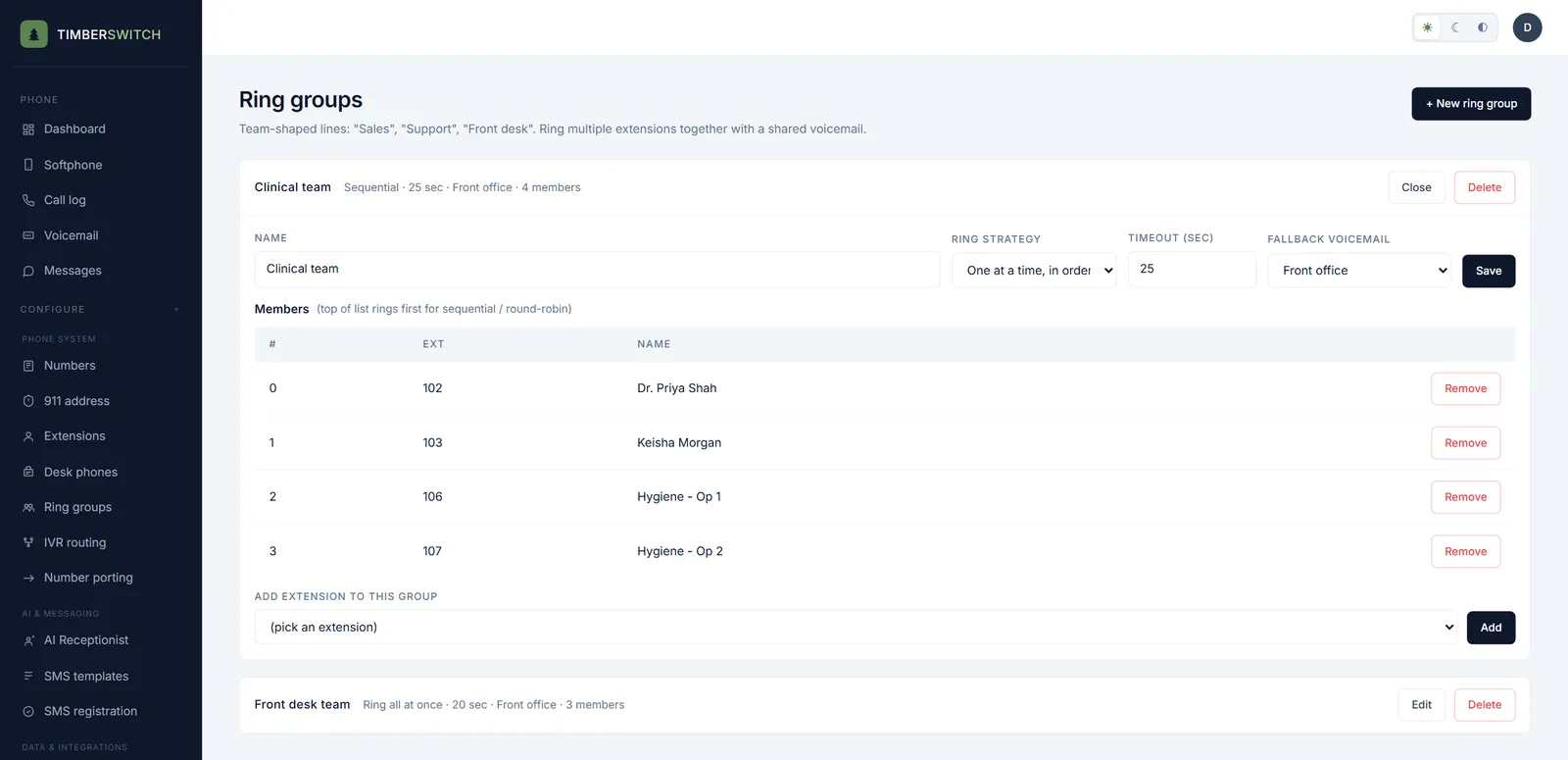
Put the front desk and the clinical team in ring groups. A call rings each person in order, or everyone at once, and goes to a shared voicemail if nobody can pick up, so one busy desk doesn't mean a lost patient.
- Forward an extension to a cell phone: after the other devices, only when offline, or at the same time
- Each extension has its own voicemail box and the caller ID it shows on outgoing calls
- Ring groups ring everyone at once, one at a time in order, or rotate who goes first
- A ring timeout, then a shared voicemail box for the group
After hours, patients hear what to do, and you read the messages over coffee.
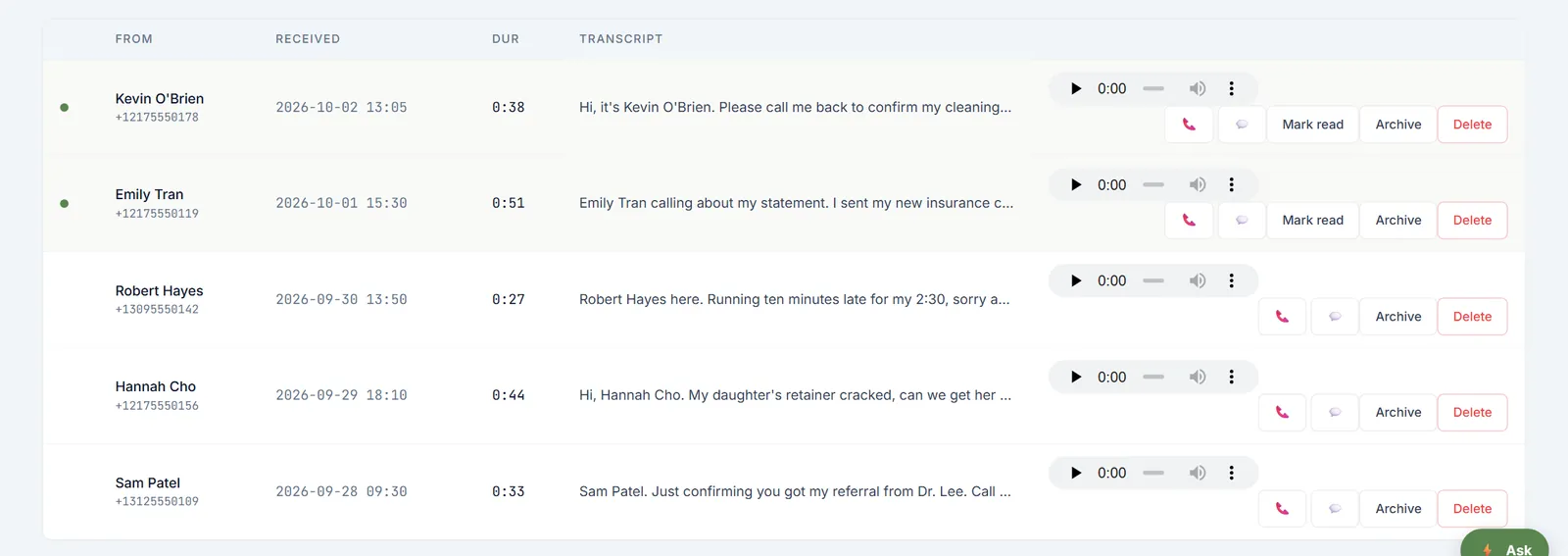
Set office hours for each number. Outside them, callers hear your after-hours greeting, for example who to call in an emergency, and can leave a message. Every voicemail is transcribed and emailed to the people who look after that box.
- Office hours for each number, with an after-hours greeting and voicemail box
- Transcripts and recordings side by side in the voicemail inbox
- An email for each new message, to the people you choose
- Separate boxes for the front office and for billing and insurance
An AI receptionist that answers from your office's own facts.
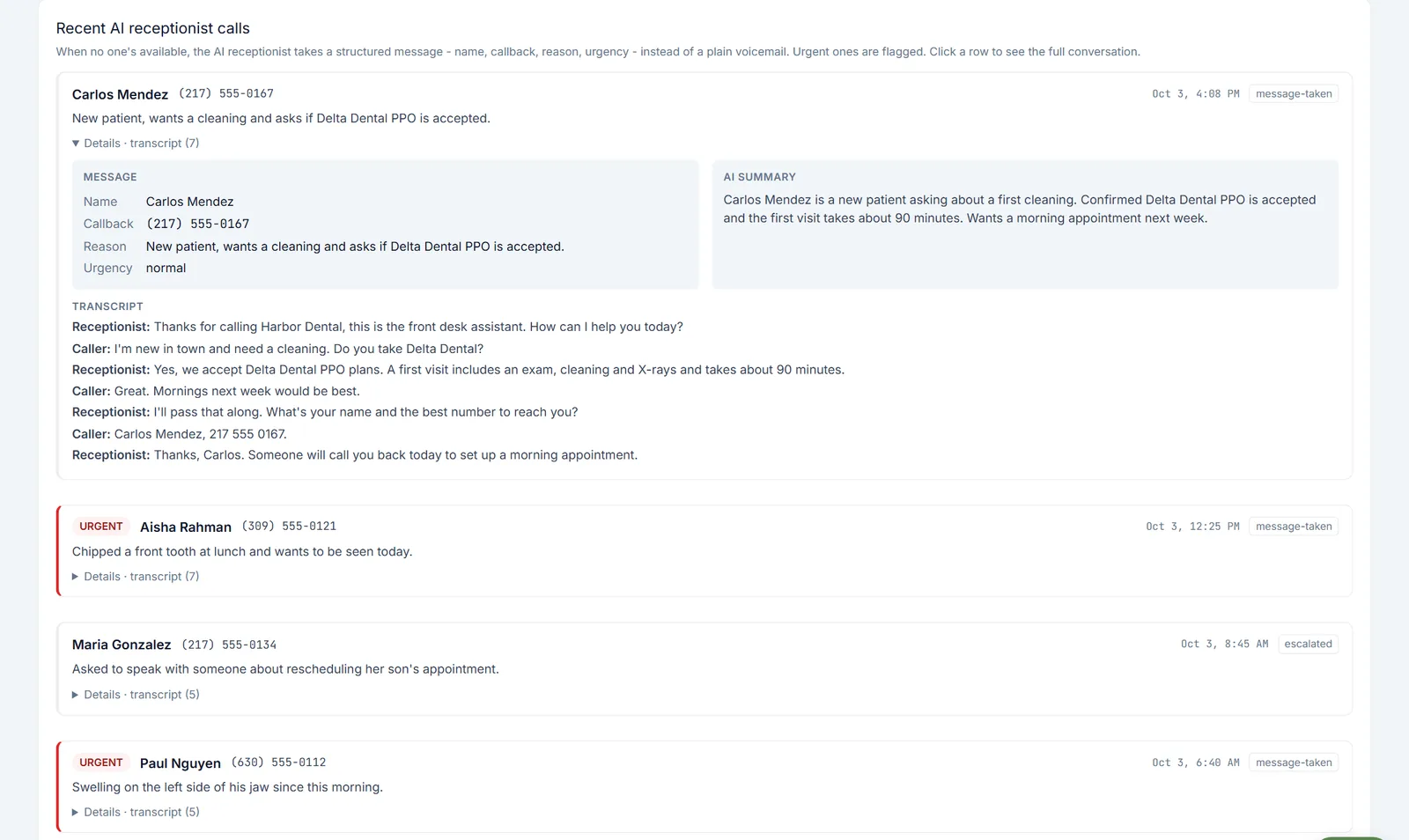
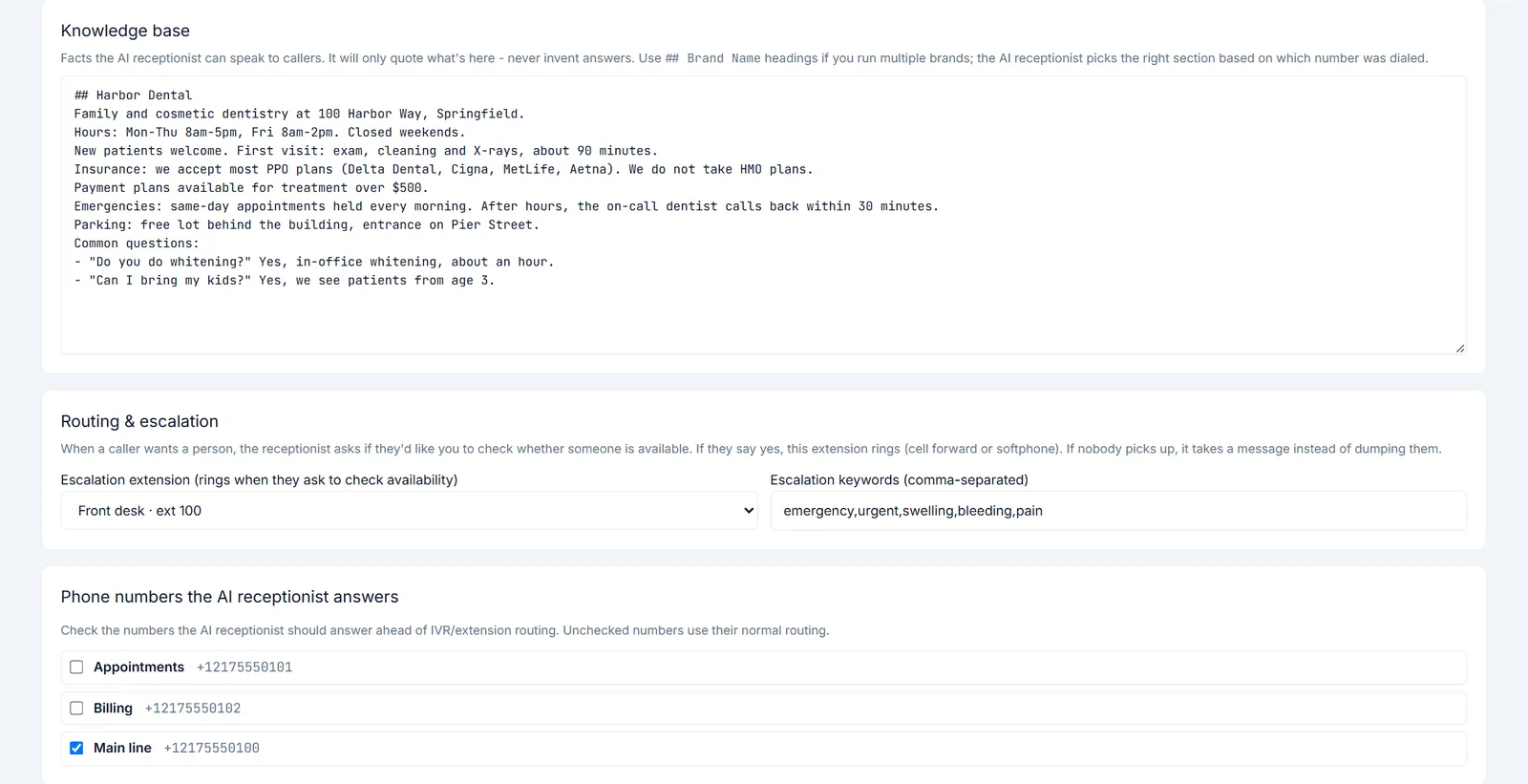
Coming soon as an add-on to any plan. Give it your hours, insurance plans and new-patient details, and it answers from those facts only. When a caller wants a person, it asks first, then rings the front desk. If nobody is free, it takes a full message.
- Answers only from the facts you give it, and never makes up an answer
- House rules in plain English, such as never giving medical advice
- Marks a call urgent when it hears the keywords you set, like pain, swelling or bleeding
- Every message comes with name, callback number, reason, an AI summary and the full transcript
Fewer robocalls interrupting the front desk.
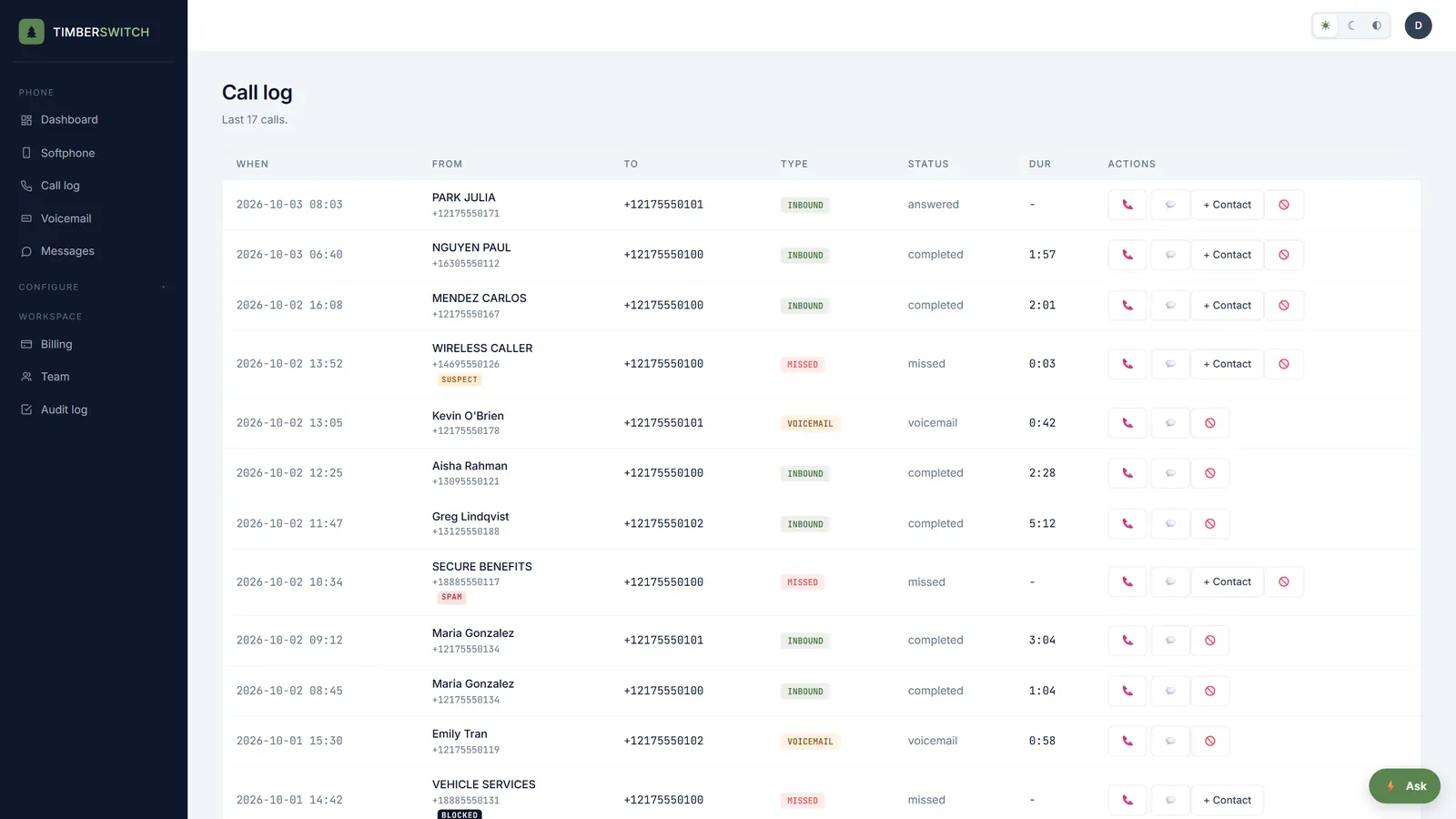
Every inbound call is checked against the carrier's caller ID signal (STIR/SHAKEN) before it rings. Unwanted calls are tagged in the call log so your team can see at a glance what is worth picking up, and one click stops a repeat caller for good.
- Calls tagged suspect, spam or blocked from the carrier's attestation
- A block button on every inbound call in the call log
- Your own block list for each business, with an optional reason, and unblock any time
- Included on every package at no extra cost
Keep the number your customers already know.
Patients keep calling the number on your sign and your appointment cards. Porting it in is free, and your old service keeps working until the port completes.
- No port-in fee
- One form with your number, carrier account and billing address
- You sign the letter of authorization and upload it, and we file the port
- A status page with the date your number moves over
Free setup help, so you don't have to learn a phone system.
Tell us how your office answers today: who picks up first, who handles billing, what patients should hear after hours. Our team sets it up with you, free on every package.
- About ten minutes, one topic per step
- Covers your numbers, what callers hear, hours, who answers, phones and your 911 address
- Track the setup on its own status page
The honest answers.
Is TimberSwitch HIPAA compliant?
We don't sign a HIPAA business associate agreement as standard, so please don't rely on TimberSwitch to store protected health information. If your practice needs a BAA, ask us before you sign up. Connections to practice software that would touch patient records stay locked until a BAA is signed.
Does it connect to our practice management software?
Not out of the box. Practice software connections are Guided setup with our team, and only once a BAA is in place. The phone system itself works without any connection.
Is the AI receptionist available now?
Not yet. It is built and coming soon as an add-on to any plan. Ring groups, after-hours greetings and voicemail to text work today on every plan.
What do patients hear after hours?
Your after-hours greeting for that number, then your voicemail box. You write the greeting, for example who to call for an emergency.
Can we keep our office number?
Yes. Porting in is free, and the old line keeps working until the port completes.
One flat price for the whole practice.
From $9 a month, $4 per extra extension. Free assisted setup and a free port-in.
See pricing →