Change phone providers
without missing a call.
Bring your number with a free port, tell us how your phones work today, and have your menus, extensions and ring groups ready before the number moves. Your old service keeps ringing until then.
- ✓ Free setup: we set it up for you
- ✓ Free number porting help
- ✓ Support from real people, included
- ✓ No setup fees
Five steps, and most of them are ours.
Carriers set the pace of a port, usually 5-10 business days in the US. Everything else can be ready on day one.
Pick your plan
Start on Starter ($9), and add a $4 extension for each person who answers. Every plan includes the full phone system and free assisted setup.
Tell us how you answer today
The free setup questionnaire covers your numbers, menus, hours, who answers and which phones you use.
Start the port
Enter your number and carrier details, sign the letter of authorization and upload it. Keep your old service active.
Build and try it
Your extensions, ring groups and menus are set up and ready while the carriers process the port.
Your number moves
The port itself switches the number over: your old service drops it the moment it lights up here, and your customers keep dialing the same number.
Tell us how your phones work today. We set it up with you.
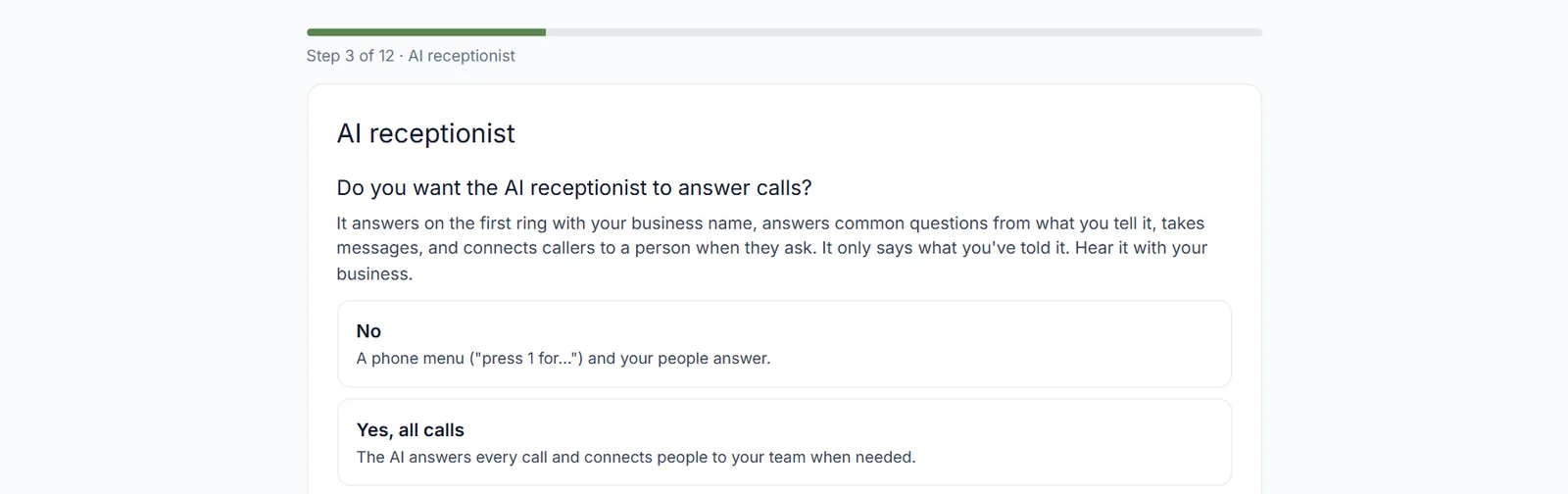
Who answers first, what callers hear, your hours, which desks have phones: answer a short questionnaire one question at a time, and our team builds it in TimberSwitch with you. Free on every package.
- About ten minutes, one topic per step
- Covers your numbers, what callers hear, hours, who answers, phones and your 911 address
- Track the setup on its own status page
Keep the number your customers already know.
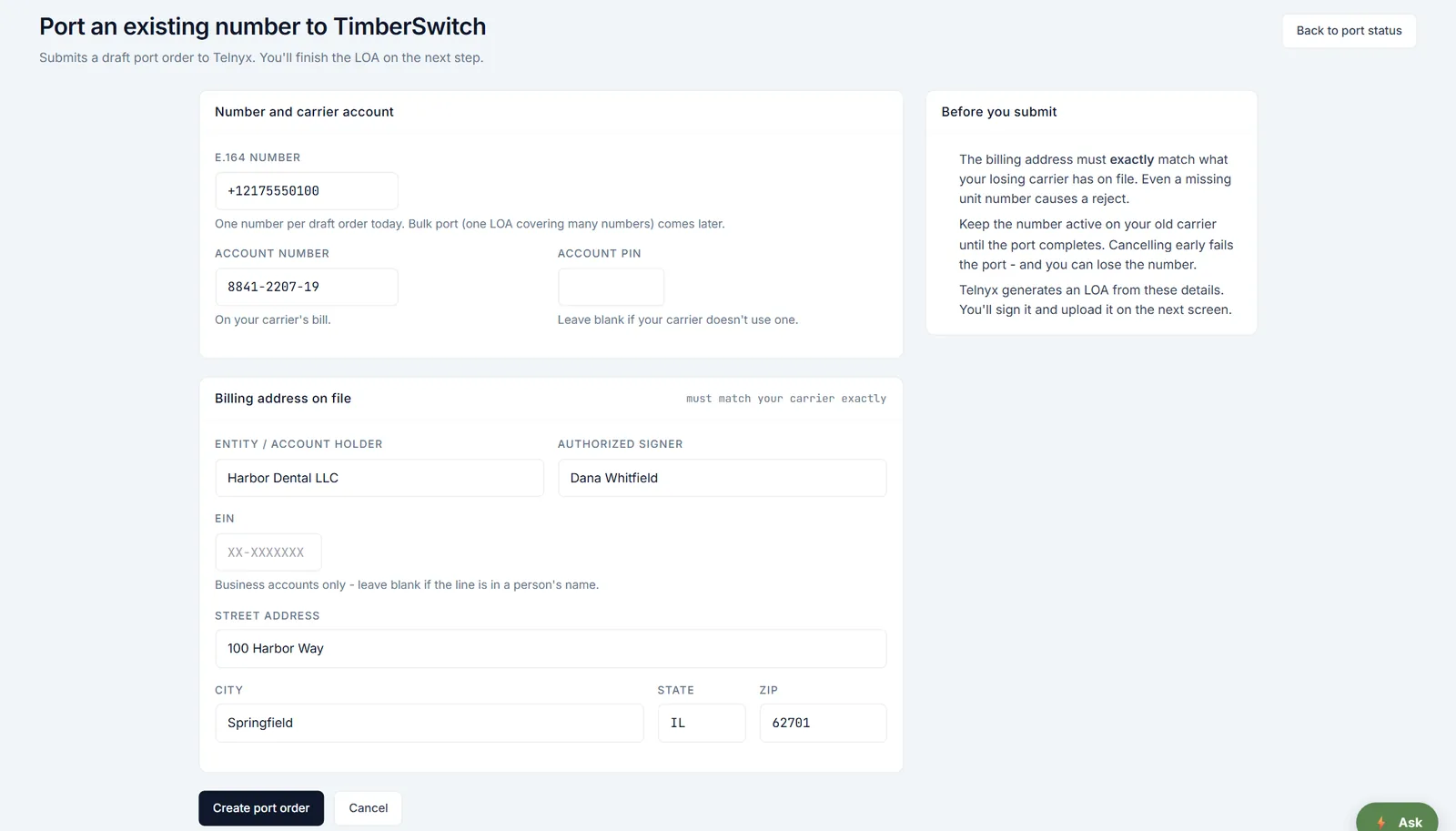
Bringing your number over is free. Your old service keeps working until the port completes, so you don't miss calls during the switch, and you can build your menus and extensions while you wait.
- No port-in fee
- One form with your number, carrier account and billing address
- You sign the letter of authorization and upload it, and we file the port
- A status page with the date your number moves over
Build everything while the port runs.
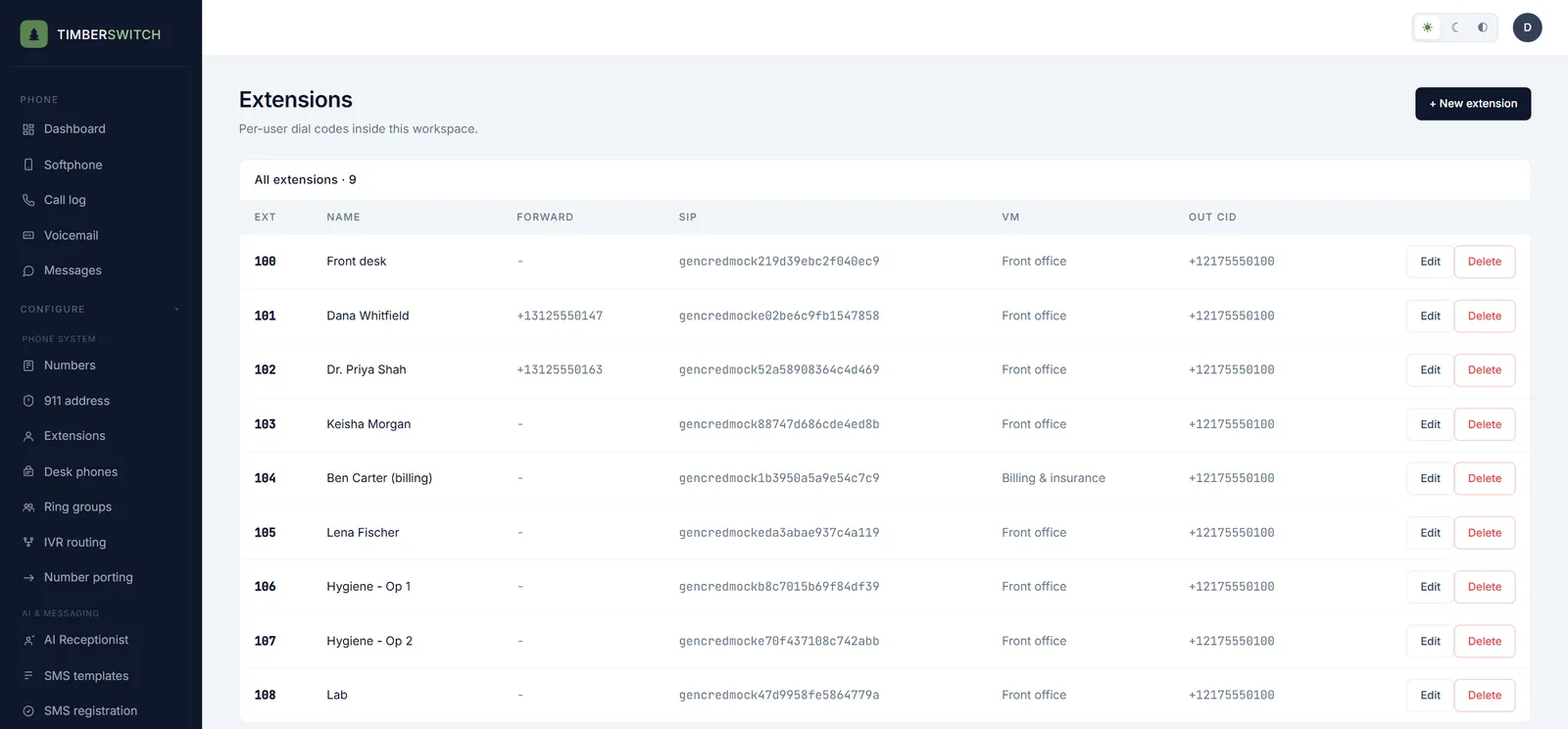
Set up extensions, ring groups, voicemail boxes and your phone menu during the port window. The minute your number arrives, your routing is already running.
- Forward an extension to a cell phone: after the other devices, only when offline, or at the same time
- Each extension has its own voicemail box and the caller ID it shows on outgoing calls
- Ring groups ring everyone at once, one at a time in order, or rotate who goes first
- A ring timeout, then a shared voicemail box for the group
A desk phone that signs itself in.
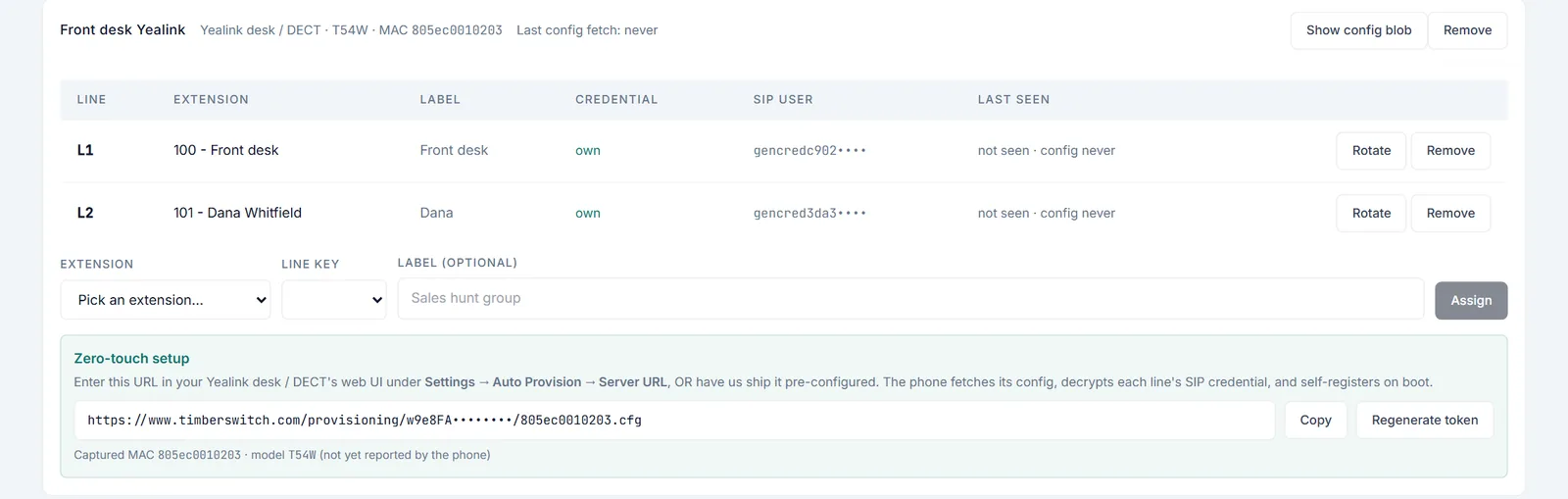
Add the phone, assign its line keys, and during a short setup window enter the provisioning address plus a username and password. The phone downloads its settings and signs in, so nobody types a SIP password into a tiny screen.
- Yealink desk and DECT phones (beta): a per-phone provisioning login, then the phone keeps its settings
- Several line keys on one phone, each assigned to an extension
- Each line key gets its own credential, so the desk phone and the softphone never knock each other offline
- Other standard SIP phones can sign in to an extension with its SIP credential
Before you move.
Is there a fee to bring my number?
No. Porting in is free, and so is assisted setup.
Will my phones stop working during the move?
Not if you keep your old service active until the port completes. The port is what moves the number, so there is no gap in normal cases.
How long does a port take?
Most US ports finish in 5-10 business days. Toll-free numbers can take a few days longer. The carriers set the schedule, and your port status page shows the date.
I have several numbers. Can I move them all?
Yes. During your first 30 days a workspace has one number, so your main number can move right away; extra and toll-free numbers can be added after day 30. Each number gets its own port order. Tell us during assisted setup and we'll schedule them.
Can I take my number with me if I leave?
Yes. You can cancel any time and port your number out for free.
Weighing providers? See dated, sourced side-by-side comparisons, including when another provider is a better fit.
Keep your number. Lose the old phone bill.
One plan from $9 a month, $4 per extra extension, a free port-in, and a 30-day money-back guarantee.
Start your move →