An AI receptionist for law offices
Potential clients call when something has gone wrong, and they call the next firm if nobody answers. The receptionist answers your intake questions from your own facts and takes a clear message.
- ✓ Free setup: we set it up for you
- ✓ Free number porting help
- ✓ Support from real people, included
- ✓ No setup fees
Every caller gets a friendly answer on the first ring, even when the whole team is busy.
Coming soon as an add-on to any plan. It greets callers as your business, answers common questions from the facts you give it, and asks before it rings a person. If nobody is free, it takes a proper message, so you call back the right people first instead of playing voicemail tag.
- Your greeting, your choice of voice and your house rules
- Answers only from the facts you give it, like hours, insurance or parking, and never makes up an answer
- When a caller wants a person, it asks first, then rings the extension you choose
- Takes a message with name, callback number, reason and urgency, plus an AI summary and the full transcript
- Flags urgent calls, using keywords you set
The AI receptionist is built and being readied for launch. Until it is switched on, calls ring your phone menu, extensions and ring groups as usual, and every package already includes those.
See pricing →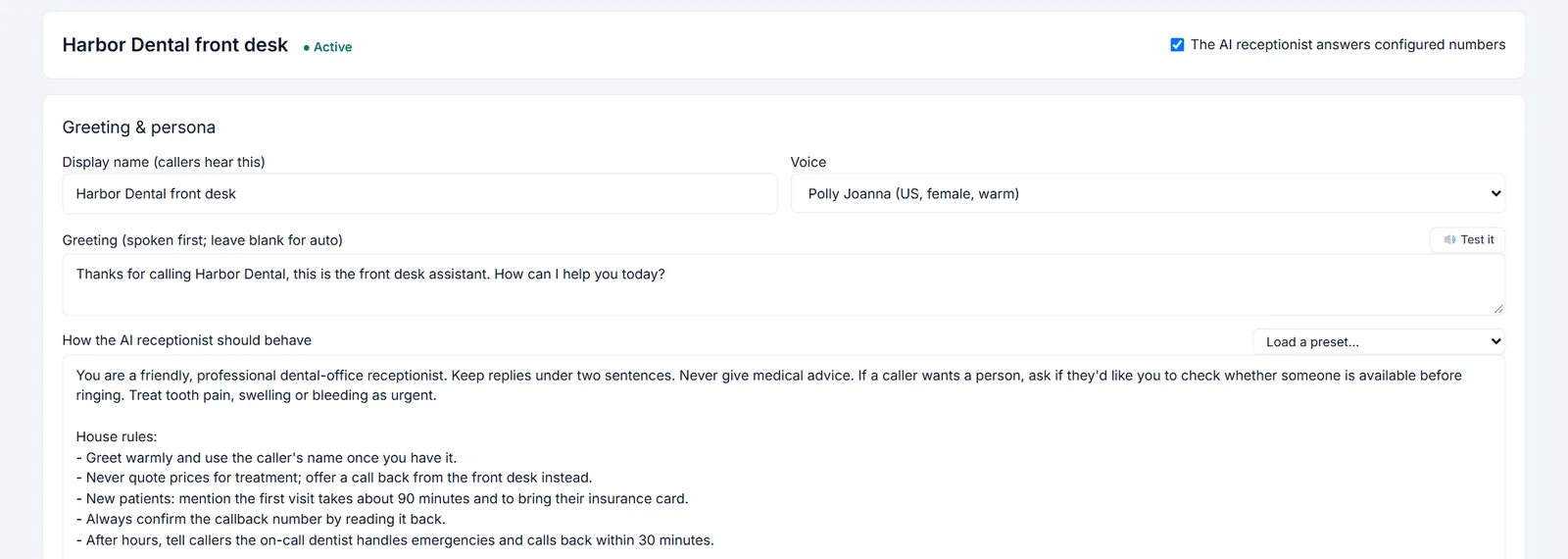
What callers ask law offices most.
Write your answers to these into the receptionist's business facts. It only quotes what you write, so a question you leave blank gets a message for your team, never a made-up answer.
Do you handle my kind of case?
Answers from the practice areas you list. If the matter isn't clearly covered, it takes a message rather than guessing.
Do you offer a free consultation?
Gives your consultation policy as written.
Can I book a consultation?
Takes the request with the caller's name, a callback number read back to confirm, and a short reason.
What are your fees and retainers?
Explains only what you write, such as "fees depend on the matter and are discussed at the consultation".
What are your hours?
Gives your hours.
Where is your office?
Gives the address and parking or building directions.
What is the status of my case?
Doesn't discuss cases. It takes a message for the attorney or paralegal, or rings someone.
How do I send you documents?
Tells callers the way you want documents sent.
Can I talk to my attorney?
Asks first, then rings the extension you choose, or takes a message.
Do you have a Spanish speaker?
Answers from what you write about your team's languages, and rings that person or takes a message.
Software law offices use.
Connect the self-serve ones yourself. For the rest, guided setup is included. Our team connects it with you, usually within 1-2 business days. Booking and lookups turn on with the AI receptionist; until then it takes a message instead.
Calendly
Guided setupOffer callers real open times from your Calendly event types and book the one they pick, with your usual Calendly confirmations.
Consultants, advisors, coaches and professional officesAcuity Scheduling
Guided setupBook, move and cancel Acuity Scheduling appointments by phone, using your real availability and appointment types.
Coaches, therapists, tutors, stylists and solo practitionersHubSpot
Guided setupLog every call on the right HubSpot contact, create contacts for new callers, and greet known callers by name.
Small businesses, agencies and nonprofits on HubSpot, including the free CRMSalesforce
Guided setupLog calls as Salesforce tasks on the right contact, account or donor, and create leads for new callers.
Professional firms and nonprofits on Salesforce, including Nonprofit Success PackZoho CRM
Guided setupLog calls in Zoho CRM on the right contact or lead, and add new callers as leads with the details read back.
Cost-conscious small businesses and service firms on Zoho CRMPipedrive
Guided setupLog every call as a Pipedrive activity on the right person, and turn new callers into leads for your pipeline.
Sales-led small teams and service businesses on PipedriveClio
Guided setupLog client calls in Clio Manage and send new potential clients straight to your Clio Grow intake inbox.
Solo and small law firms on Clio Manage and Clio GrowLawmatics
Guided setupTurn intake calls into Lawmatics prospects with the practice area and callback details filled in.
Law firms using Lawmatics for intake and client relationshipsThe honest answers.
Is the AI receptionist available now?
Not yet. It is built and coming soon as an add-on to any plan. Until then your calls use the phone menu, extensions and ring groups, which every plan includes.
Does the AI receptionist give legal advice?
No. It answers only from the information you write about your firm, such as practice areas, hours and consultation policy, and takes a message or rings your team for anything else.
Will it discuss a client's case?
No. It doesn't look up or discuss cases. It takes a message for the attorney or rings someone.
What does it cost?
The AI receptionist is coming soon as an add-on to any plan. Today TimberSwitch starts at $9 a month for your business: a number, an extension and 300 minutes each way, plus $4 a month for each extra extension, before tax.
Business phones from $9 a month.
The AI receptionist is coming soon as an add-on to any plan. Today TimberSwitch starts at $9 a month for your business: a number, an extension and 300 minutes each way, plus $4 a month for each extra extension, before tax.
See pricing →